Branded Greeting
Last updated: March 26, 2026
What’s the Branded Greeting Feature?
Your Concierge’s greeting message is the gateway to the guest conversation. You can configure it to use language that matches your brand, and supports the customer interaction. The full customization set is available for customers of all billing tiers.
How does it work?
There are five elements of the greeting:
Salutation: This is the initial greeting word the Concierge will use.
Introduction: This is the sentence that acknowledges the caller and contains your venue name.
Tagline: This is an optional phrase or sentence all Slang customers can add, up to 150 characters, to promote an event, menu item, or convey anything that’s important for your callers to hear.
Legal Disclaimer: This required sentence tells callers that their interaction will be recorded.
Invitation: This question invites the caller to state their reason for calling and give your Slang Concierge a task.
How do I customize the greeting?
Navigate to the Branding page on the left-hand navigation of your Slang dashboard.
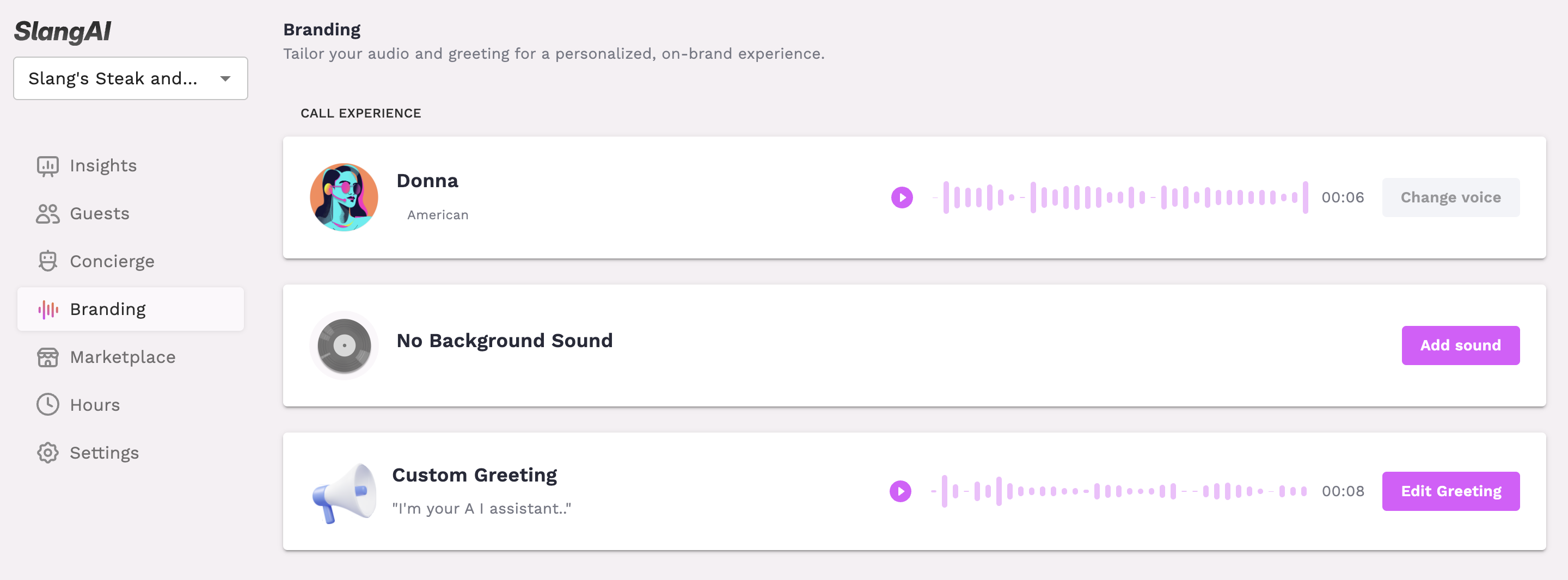
Click Edit Greeting to open the edit drawer.
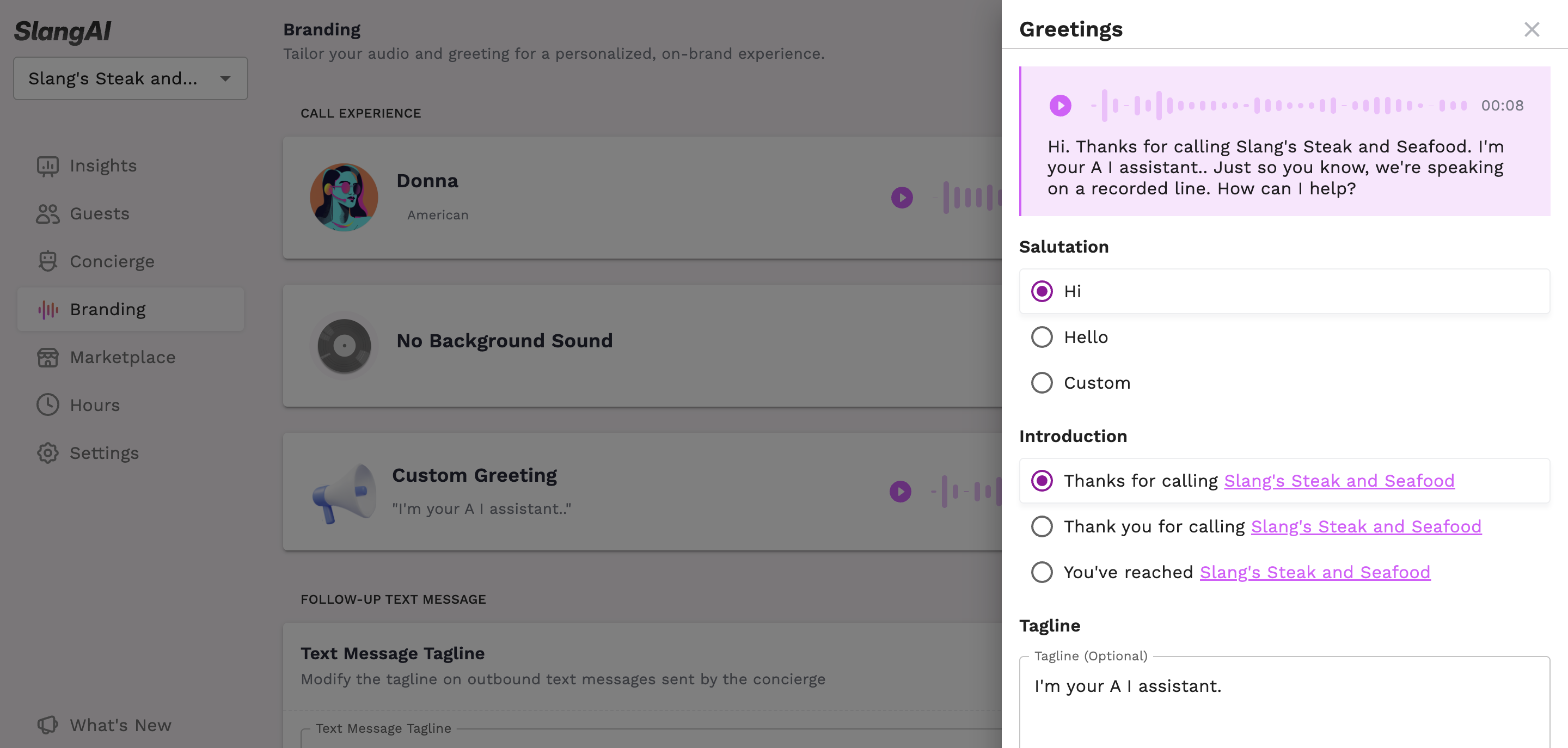
You’ll see radio selections for each portion of the greeting. As you make your choices, the audio preview will update.
Before hitting Save, ensure that your greeting sounds appropriate by clicking the play button on the audio preview at the top of the drawer.
How will I know it’s working?
Call your Slang Concierge to affirm that you’ve saved the greeting you prefer.
What can I customize if I’m not on a Premium plan?
For Core and Basic plans, you’re able to add a custom tagline:
Fixed Salutation: “Hi.”
Fixed Introduction: “Thanks for calling {restaurant name}.”
Optional Pronunciation Guidance: Click on your highlighted restaurant name to tweak how your Concierge says your venue name on calls.
Optional Tagline: {This optional field is available for you to customize.}
Fixed Legal Disclaimer: “Just so you know, we’re speaking on a recorded line.”
Fixed Invitation: “How can I help?”
So a sample greeting would sound like this:
“Hi. Thanks for calling Slang’s Steak and Seafood. {Where surf and sea meet food and fun.} Just so you know, we’re speaking on a recorded line. How can I help?”
Why can’t I get rid of the legal disclaimer?
Slang records call data, including a transcript and often a recording of the call. This is standard practice in the telephony and voice AI industries. We use this data for quality testing and auditing, to improve the guest experience, and to train our AI over time. We follow SOC2 and GDPR compliance, so this data is private and secure.
Because of this, the legal disclaimer is required. The recording disclaimer covers both parties from a legal standpoint. More specifically, the disclaimer helps callers understand how to protect themselves and avoid sharing sensitive information while on the call.
Why can’t I write the entire greeting myself?
The structure that the Slang Concierge uses for the greeting is designed to orient the caller, provide necessary information, set the tone for the conversation ahead, and build a sense of trust. All of the pieces need to stack up to build a complete and effective greeting that starts the conversation in the right way. Slang has your success, and your guests’ comfort, at the center of this design.
How does the time-based salutation work?
In the Salutation section, you can configure your Slang concierge to greet callers with “good morning,” “good afternoon,” or “good evening,” according to this schedule:
“Good morning.” 5 am - 11:59 am
“Good afternoon.” Noon - 4:59 pm
“Good evening.” 5 pm - 11:59 pm
“Hello.” Midnight - 4:59 am
Please note: The schedule and salutation copy are not adjustable or customizable. It’s not possible to combine a custom salutation with a time-based salutation.
Have more questions?
Please email us at support@slang.ai.