Conversation Topic Alerts
Last updated: July 9, 2026
Stay Notified About Important Customer Calls
What is it?
Conversation Topic Alerts allows you to receive real-time notifications when customers inquire about specific topics during phone calls. Whether it’s private dining, catering requests, or any other topic that matters to your business, you can ensure timely follow-ups with automated email or text alerts.
This feature is included for Premium subscriptions.
How It Works
Conversation Topic Alerts monitors incoming calls. If a call includes a relevant topic or event that you've flagged on your Settings page, an alert is triggered and sent to your designated email or phone number within five minutes. This feature helps you stay informed and take action in real time.
Key Benefits
Never Miss Important Calls: Get notified about key customer inquiries, such as private dining or catering requests.
Real-Time Follow-Up: Receive alerts within minutes, enabling you or your team to respond quickly.
Customizable Notifications: Choose whether you want to receive alerts via email, text, or both.
How do I set it up?
Log in to ilove.slang.ai and head to the Settings page.
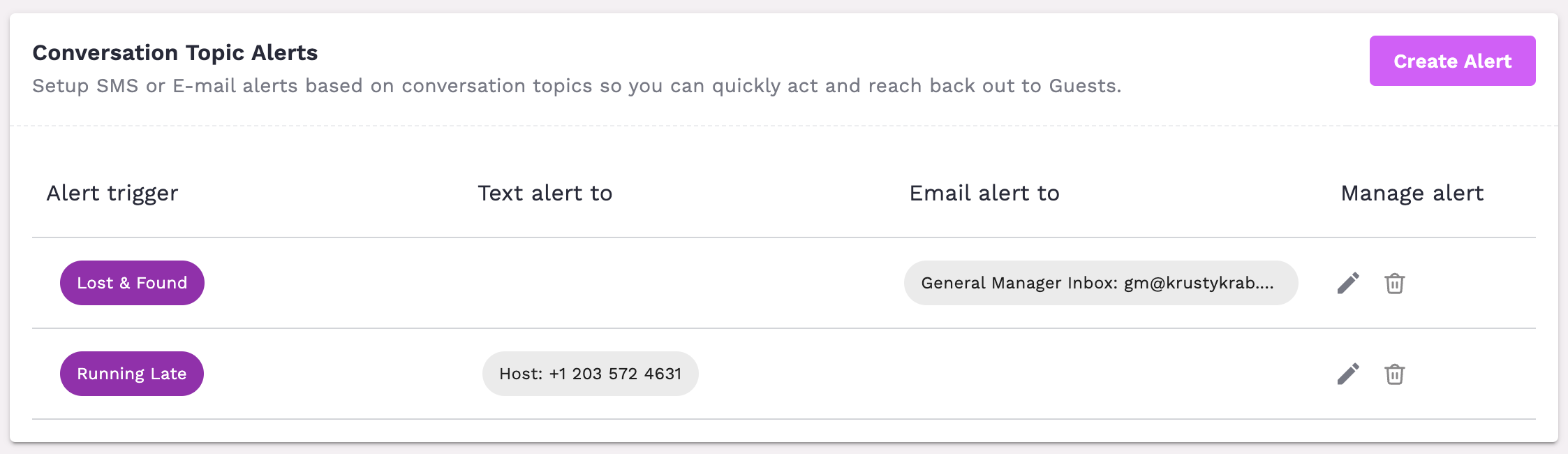
Select Your Topics – Click on "Create Alert" and choose a topic you want to monitor (e.g., private dining, catering, reservations).
Configure the Alert – Enter the email address or phone number where alerts should be sent.
Save – Save the alert, and the next call matching that label will be sent to you directly.
Managing Your Alerts
You can update your alert settings anytime from the dashboard.
Add or remove topics as your business needs change.
Adjust your notification preferences (email, SMS, or both).
What alerts make sense for my business?
If you use a lead generation integration like Tripleseat, we recommend setting up an Incomplete Lead alert. These fire only when a guest started the lead flow but exited before Slang could capture their info — meaning no record was created in your integration. You'll only be alerted when follow-up is actually needed.
If you use OpenTable or Resy integrations, we recommend Incomplete Reservation over a general topic like Reservation Inquiry — you'll only be notified when a booking attempt failed, keeping volume low and follow-ups meaningful. Consider also adding Incomplete Change and/or Incomplete Cancel to catch post-booking issues that could otherwise lead to no-shows.
If you have certain seating areas that are more accessible, you may want to set up an alert for calls that specifically ask about Accessibility to ensure their table assignment is taken care of before they arrive.
Note-worthy guidance related to Integration Usage:
"Incomplete" alerts only apply if your location uses a booking integration or lead generation integration.
If you don't use our Tripleseat integration, the Incomplete Lead event will never occur. These customers could set an alert for Private Events Request, instead.
If you are using our SevenRooms or Yelp reservation management integrations, Incomplete Change and Incomplete Cancel will never occur. In these cases, "Cancellation Request" and "Change Request" will be tagged on conversations.
What do Conversation Alerts look like?
There are two modes for alert delivery today: Email and SMS.
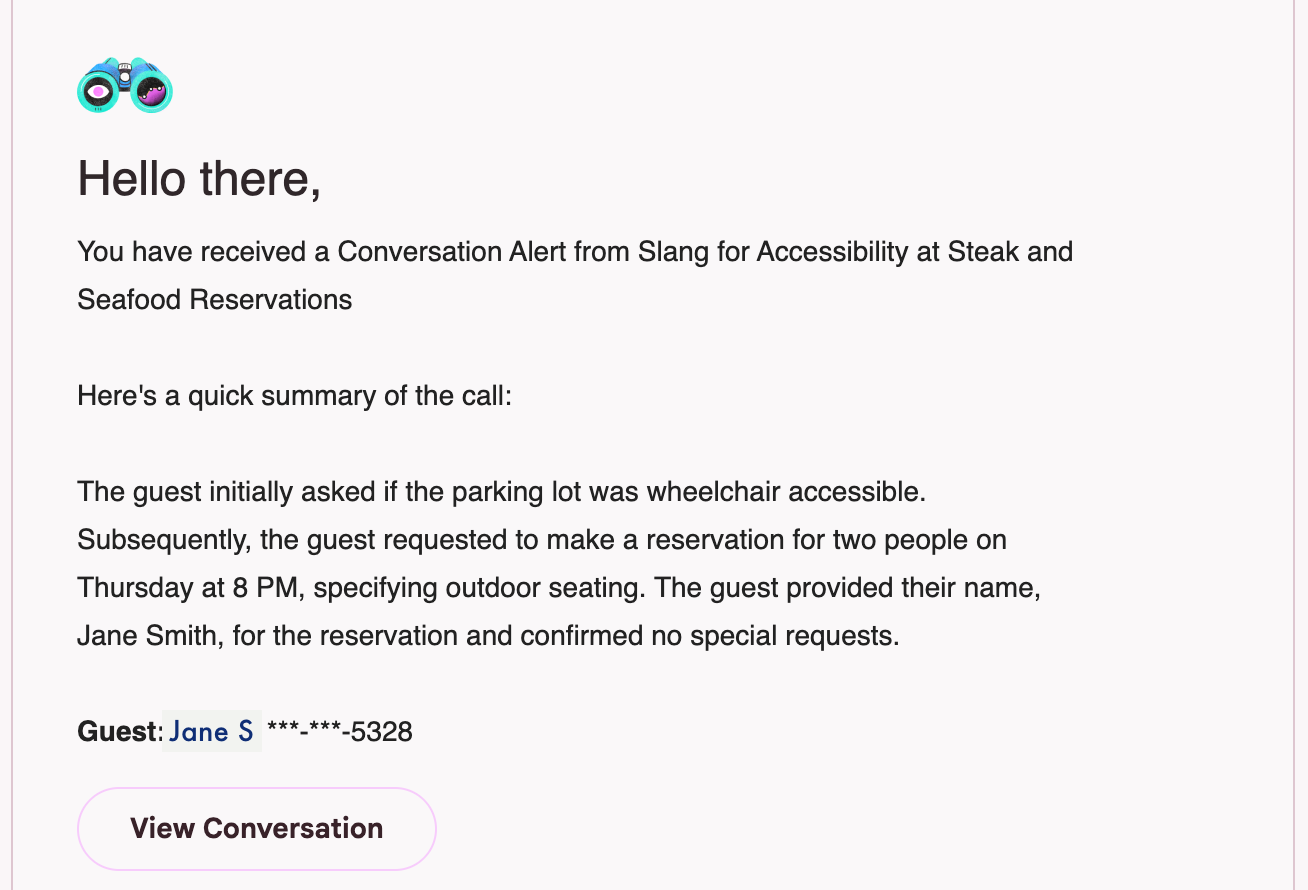
Email Alerts contain the conversation alert tag, a summary of the conversation, the guest's first name and last initial (if we have them), the last four digits of the guest's phone number, and a link to the Smart Inbox conversation record. Email alerts are best sent to the inbox of someone who can log into the Slang dashboard. Example:
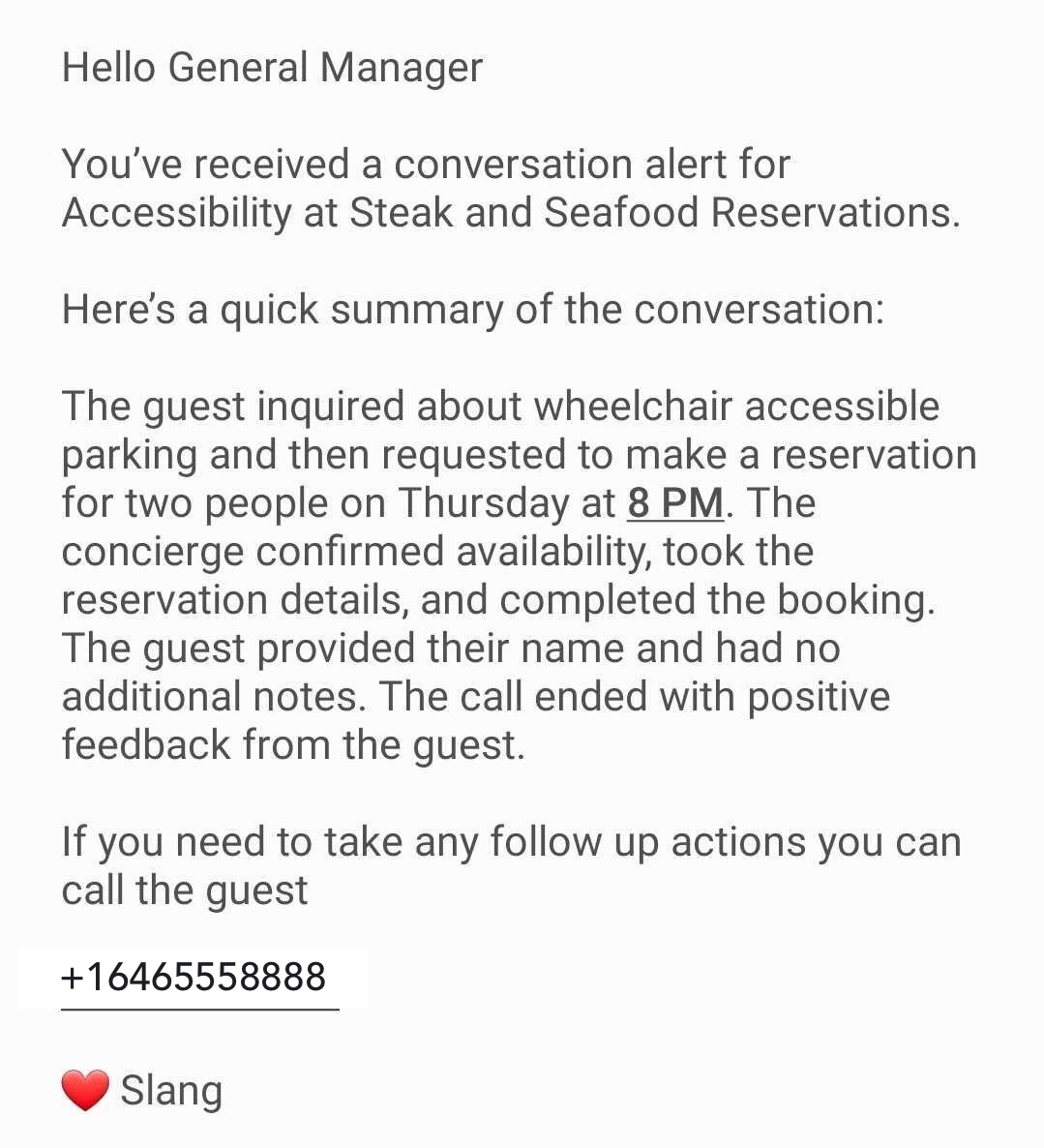
SMS Alerts contain the conversation tag, a summary of the conversation, and the guest's full caller ID. This enables direct follow-up from a mobile device without requiring a login to the Slang dashboard. Example:
Frequently Asked Questions
Q: How quickly will I receive an alert?
A: Alerts are sent within five minutes of a conversation mentioning the selected topic.
Q: Who can receive alerts?
A: You can save any phone number or email address to the Settings page to start sending them alerts. Note that email recipients will need a Slang login to access the Smart Inbox record. (See User Management for help creating users.)
Q: Can multiple team members receive alerts?
A: Yes, you can add multiple recipients for each topic to ensure your team stays informed.
Q: What if I no longer need alerts for a specific topic?
A: You can easily update or remove alerts from your Settings at any time.
Q: Can I get alerts only for calls that my Slang Integrations couldn’t handle?
A: Yes, customers using the Tripleseat Integration can set an alert for Incomplete Leads, and customers using our Reservation Integrations can set up alerts for other Incomplete actions, such as Incomplete Reservations, Incomplete Changes, or Incomplete Cancellations. The Running Late alert would be a great addition to current reservation integration features as well.
With Conversation Topic Alerts, you can provide better customer service by staying informed about key calls and responding promptly. Start using this feature today to enhance your business’s communication and customer engagement!
More questions, or interested in upgrading to get Conversational Alerts?
Reach out to support@slang.ai