Yelp Integration FAQs
Last updated: September 3, 2026
What can the integration do for my guests?
The Slang AI integration with Yelp can book standard reservations without a payment requirement or cancellation policy through a simple Slang phone call.
Is it available on on Superhost?
The Yelp integration is not available on Superhost.
What is the Caller Experience?
If a caller asks to make a reservation, your Slang Concierge will collect the essential details: date, time, and party size. We’ll check your books for availability via the Yelp Booking API and let the caller know what’s available.
We can offer one or two alternative seating times if the requested time is not available.
Once we collect the name for the reservation, we’ll submit reservation details to your venue and allow the Yelp Auto-assign algorithm to recommend a table placement. Email addresses are required for booking, but email collection is not part of the call experience. As such, the email address yelp@slang.ai will be submitted for all reservations submitted via a Slang call.
Confirmation text messages will come from Yelp at the time of booking, more details below.
What if a repeat diner books with Slang?
If a guest books via Slang with a callerID that has already booked to your venue, the reservation will be made using the name already in our records.
Slang can’t see your native guest history, however, so we may create a duplicate guest record depending on how the guest name comes through on the Slang call.
Example: If “Michael” is in your guest book and they spell their name “M-I-K-E” on a Slang call, you may see a new guest in your guestbook for the same diner.
What happens if a guest wants to make a change to a reservation?
The Concierge will default to whatever is set on the Concierge page of your Slang dashboard under the Change Reservation and Cancel Reservation policies. You can set this to an online contact form, an email address, or a forwarding number for real-time guest interaction.
How will customers receive confirmation?
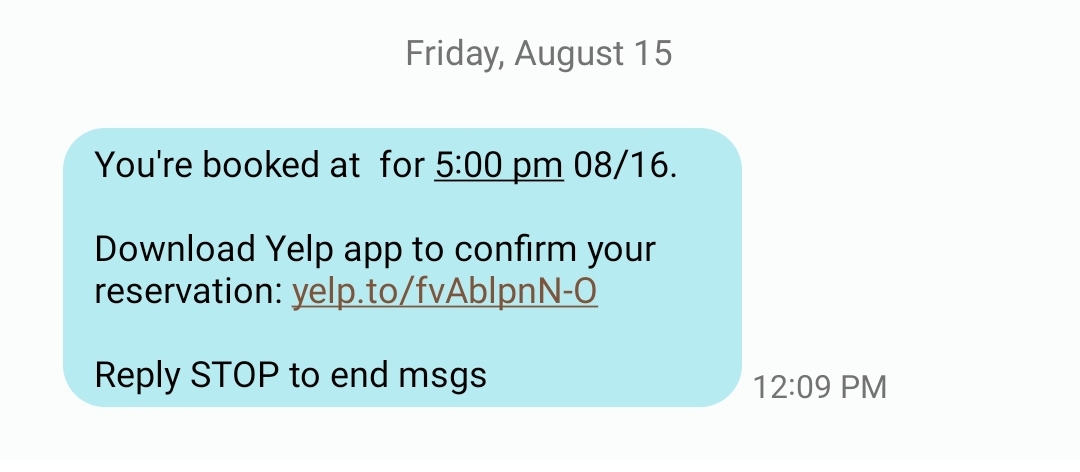
All booking confirmations are sent by Yelp via SMS after a reservation is made.
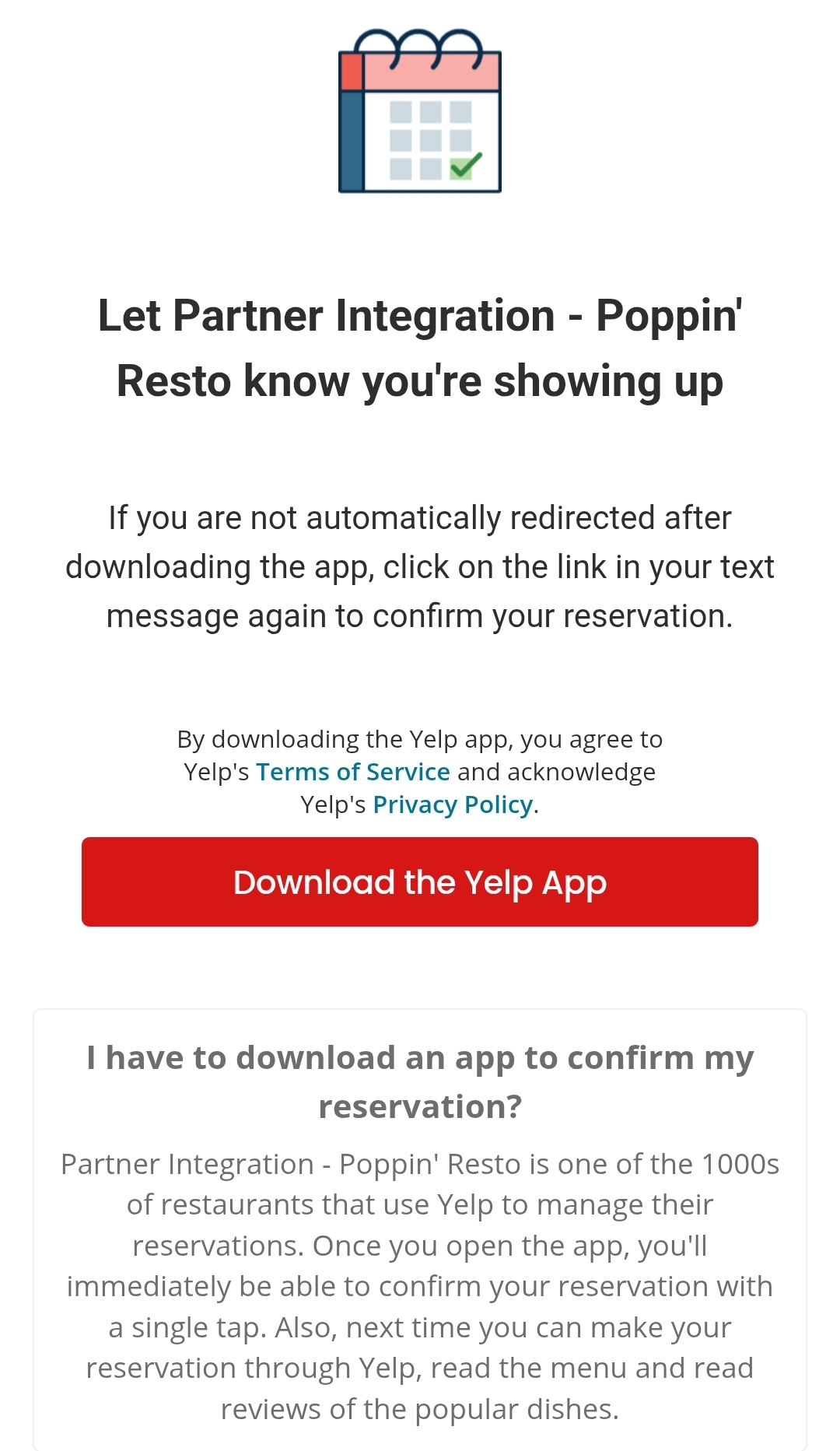
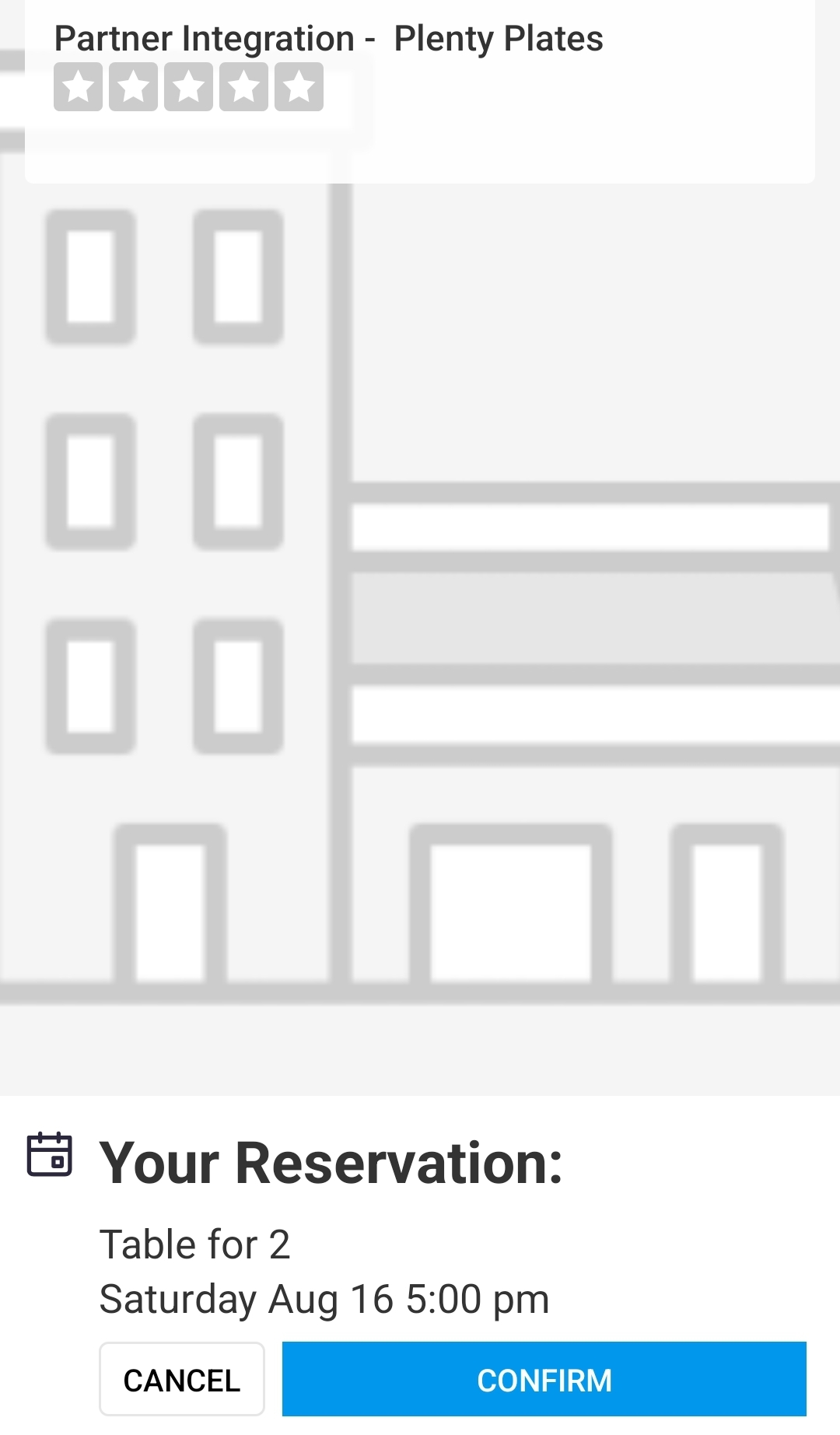
The text will be a link to download the Yelp app. Once a diner has done that, the link will take them to their booking management page.
Text sent immediately during the call:
Download screen:
Cancel/Confirm screen once the app has been downloaded (your restaurant image would show here):
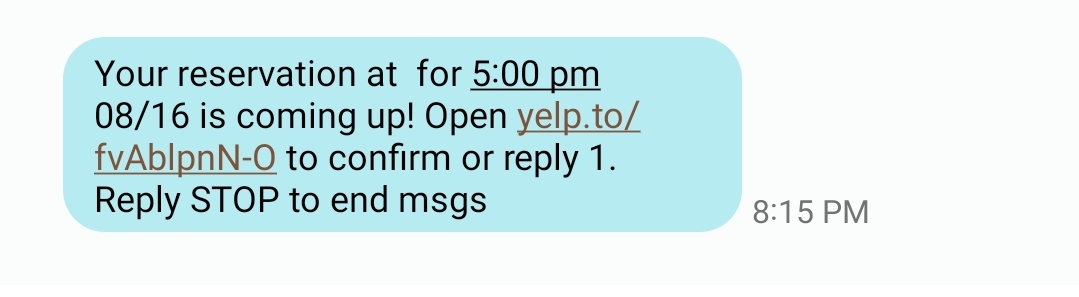
Follow-up texts encourage confirmation via link or SMS
Are there any limitations?
All booking confirmations are sent via SMS, so Landline callers looking to book a reservation will be forwarded through to your in-house staff. If you don’t have a phone number saved to your “Talk to Human” configuration, callers will be informed of your preferred method of outreach in this case.
We can’t facilitate bookings that require a Credit Card at this time. If a caller asks to book a reservation that is subject to a cancellation fee they will be escalated to the “Talk to Human” configuration so that your team can capture the booking directly.
If all of your reservations require a Credit Card to book, this integration is not a good fit for your venue at this time.
Does the integration cost anything?
The Yelp integration is part of the feature set available to Slang customers who are paying for one of our integrations billing packages, either Core or Premium.
If you want to connect to Yelp bookings but you can’t do so today, please reach out to support@slang.ai to gain access to this feature.
What reporting is available on the Slang side? What about the Yelp side?
Reservations created through Slang will be counted on the Reservations Insights page of your Slang dashboard.
Direct Yelp attribution for Slang bookings isn’t available at the moment, but the yelp@slang.ai email address will serve as a clear indication of the bookings coming from Slang calls. To get a holistic picture of bookings through Slang, export your Guests data and sort by the yelp@slang.ai email address.
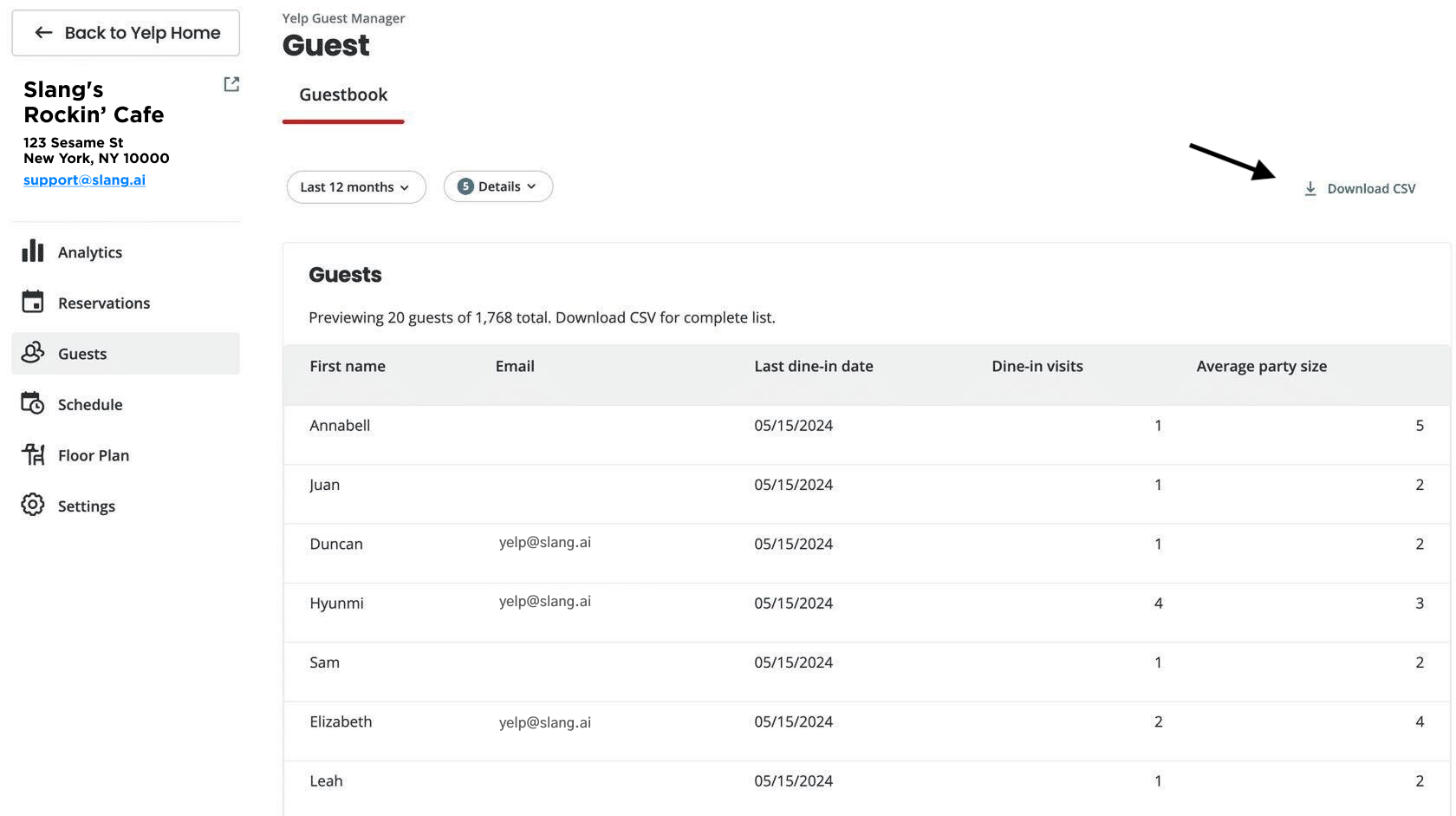
Are there any other features I have access to?
Our Cross-Sell Reservations feature is compatible with the Yelp integration, and is available for Premium Subscriptions with Slang.
Our Pause Same-Day Reservations feature allows you to stop the flow of reservations from Slang calls if you have a buyout or if you get too busy and don't want bookings to interrupt your host's wait list management.
How do I disconnect the integration?
If you ever need to disconnect your Yelp integration with Slang, head to the Marketplace on your Slang dashboard.
Log in to ilove.slang.ai
Click on Marketplace on the left-side navigation.
On the Yelp tile, click Manage.
A drawer will open and will show a button that says Disconnect.
Click on Disconnect to stop using the Yelp Bookings integration.
Only one Reservations Management integration may be connected at a time. Choose only your preferred booking platform.
Still have Questions?
Reach out to support@slang.ai with any other questions.