Pause Same-Day Reservations
Last updated: August 29, 2026
Sometimes you'll want to stop reservations from coming in through your phone integration, here's how!
Shutting off same-day reservations in OpenTable will block online reservations from coming through, but Slang can still book your in-house availability!
Our Pause Same Day Reservations feature allows you to stop Slang from booking phone reservations for the current day. Use this feature when you need to block all same-day reservations, including those coming through the phone integration.
Where do I find it?
On the Settings Page at ilove.slang.ai you’ll see a sub-heading for Reservations:

By clicking here or scrolling down, you'll find the Pause Same-Day Reservations toggle:
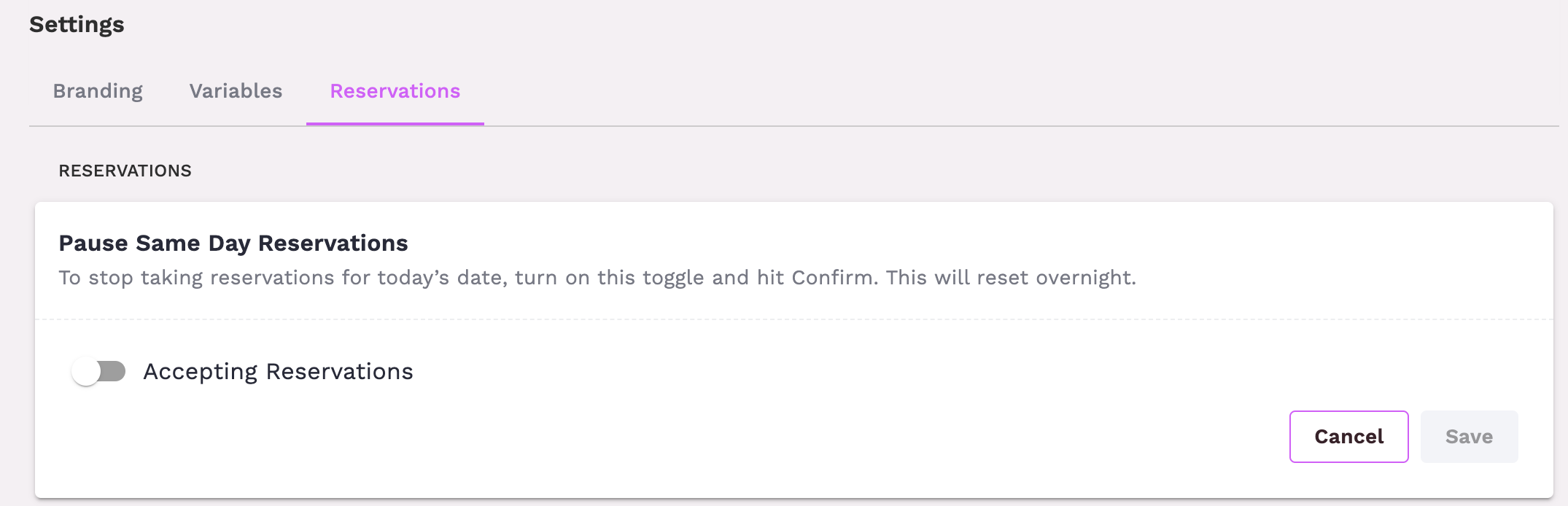
How do I use it?
If you want to block same day reservations through the phone integration:
Flip the toggle On! You’ll see a confirmation window pop up to confirm that you understand the action you’re taking.
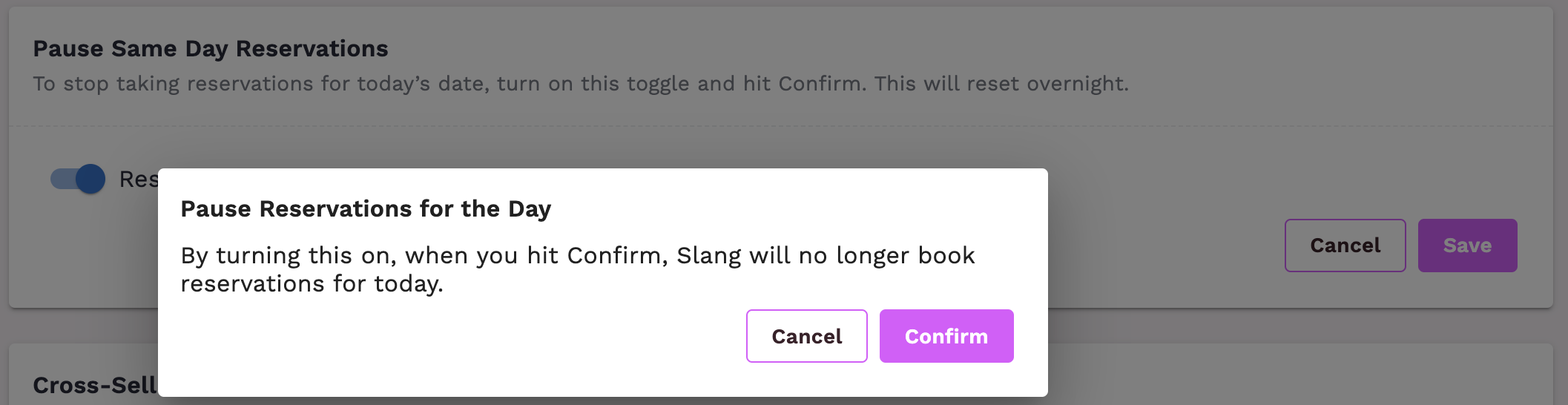
Press Confirm
That’s it! The setting will revert automatically on the next calendar day at 12am, or you can come back in and turn same-day reservations back on anytime.
What’s the caller experience?
When a caller asks to book a reservation, the Slang Concierge will check if the requested date is today. If same-day reservations are paused, the caller will hear:
"Unfortunately, we aren't taking any more reservations for today. We do our best to seat walk-in parties, so if you’re nearby, feel free to stop in and speak to the host. Would you like to book on a different date?"
Are there limitations
This feature is not available on Superhost.
Have Questions?
Need more assistance or have a question? Shoot us an email at support@slang.ai. Our dedicated support team is available to help with any questions you might have, so don't hesitate to reach out!