Settings
Last updated: September 1, 2026
The Slang Settings page contains some overall inputs for your Slang concierge, such as any links or email addresses we offer callers via SMS. There are also some controls here for customers utilizing a booking integration, and the option to turn on our Bilingual Support. You can learn more about all of our Features here.
Variables
Assets, such as menu links, email addresses, and internal phone numbers, will be under the variables section. You can also see where these are used within the concierge.
If you change your menu on a seasonal basis, or when you hire a new manager to field after-hours emails, you'll want to be sure to keep this page updated.
Swapping in a new link and hitting "Save" will update the link that we share across every "Used on" topic! One and done 👍
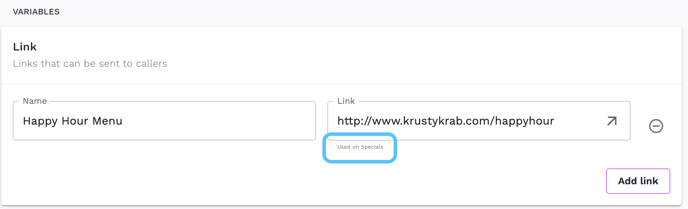
Be sure to save direct links to your website or socials. To keep texts short and legible, Slang will pass your links through bit.ly before they land on your diners' mobile devices. Bit.ly will flag links as spam if they funnel to a redirect (such as LinkTree URLs from an Instagram account).
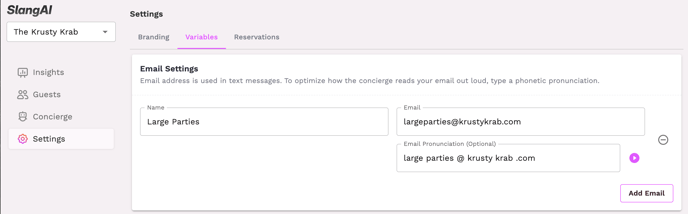
Email Pronunciation
When saving an email address you'll notice two text entry spaces. The top one should be the address as you would expect to see it in a text message for direct use. If you copy this into the pronunciation box, you can preview and fix how proper names or acronyms will sound on a phone call.