Concierge Bypass
Last updated: June 4, 2026
How to reroute VIP guests or employees directly to the restaurant.
Introduction
It’s not uncommon that you will have VIP guests and/or employees who you would prefer not interact with the concierge every time they call. These scenarios often leave the caller asking to “speak to a host” or even getting frustrated.
Additionally, you may need to receive calls from specific businesses—such as banks sending verification codes, vendors, or service providers—that should bypass the concierge and ring directly to your restaurant.
Concierge Bypass allows you to tag a guest as “Bypass” and select the phone number you want them automatically forwarded to when they call.
Configuring Concierge Bypass
Once you’ve logged in to the Slang Admin portal, you’ll want to navigate to Settings on the left-hand side, and then scroll down to “Guest Routing.”

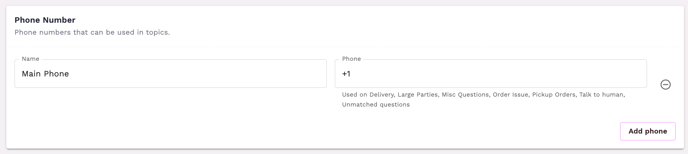
Select the tag “Concierge Bypass” and any phone number already saved on the Settings page from the drop-down menu. If you want to use a number that you have not previously used, scroll up to the “Phone Number” section and click “Add phone.”
Once your preferred routing pathway is saved, you can start applying it to guest phone numbers!
Tagging a Guest With Concierge Bypass
To update a guest with the “Concierge Bypass” tag, you’ll want to navigate to the Guests section, located on the left-hand side menu.
From here, you can select the appropriate guest/phone number in the list. Once selected, you can click on the “Options” menu next to their phone number and select “Add Concierge Bypass.” Now all calls coming from this number will automatically skip over the Slang concierge and be forwarded to the phone number designated.
If you ever need to remove the guest from the bypass routing, you can follow the same process as above, but from the guest “Options” menu, select “Remove Concierge Bypass.”