OpenTable FAQ
Last updated: September 15, 2026
Slang + OpenTable integration
With our OpenTable integration, there are sure to be questions! Read on to find the answer to the most frequently asked questions.
What features are included in the Slang + OpenTable Integration?
Slang will now be able to Book, Change, and Cancel reservations on your behalf.
The Opentable integration is compatible with Superhost.
What tables can the Slang integration book?
Tables that are listed as Available both Online and In-house.
If you see "All Availability" in your OpenTable shift settings, we can book those tables!
Can Slang quote Dining/Seating Areas?
Slang cannot quote dining/seating areas to callers. Callers can leave requests for seating area preferences by adding a special note when prompted by the voice agent.
What are the steps to align the integration with settings I have for online bookings?
At this time we are first searching for online availability to ensure any Slang-created booking aligns with your policies for public inventory.
What about Large Parties?
As long as your reservation cap is set properly on the Slang Concierge, any callers looking to book a table larger than is allowed will go down your Large Parties route, be it an email address, an event request form, or forwarding to your staff.
Check your Party Size Routing settings to ensure things look right.
How will I know if a reservation was booked through Slang?
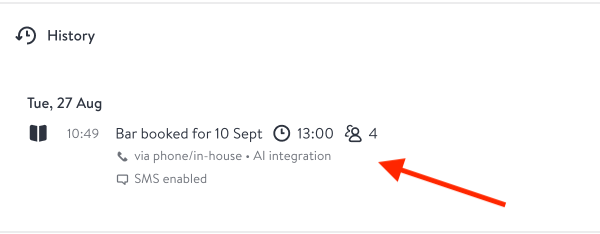
Reservations booked through Slang will appear as "AI integration" in the booking history.
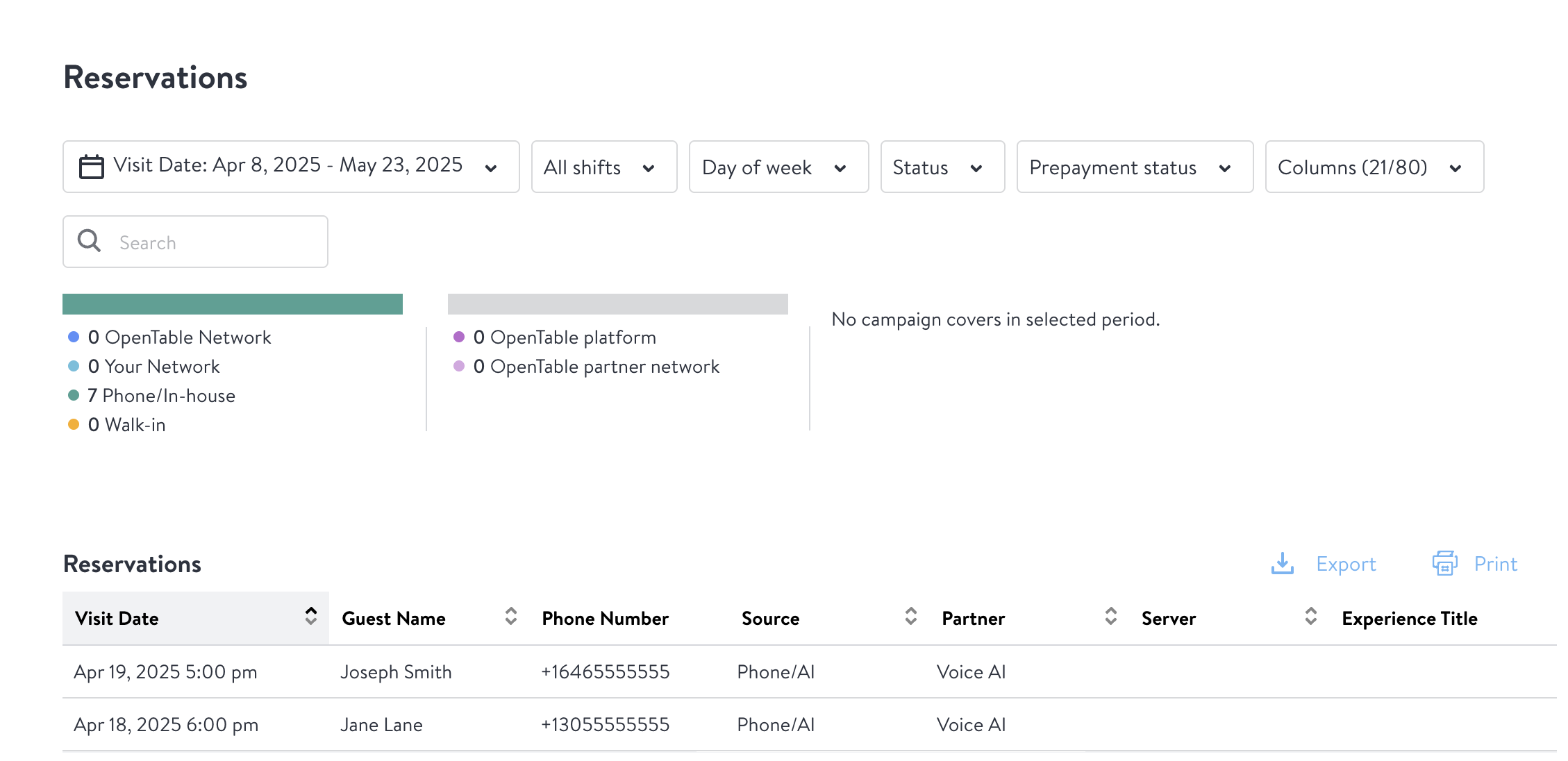
Reservations Reporting in the OpenTable Guest Center will show "Phone/AI Automation" in the Source column, and "Voice AI" in the Partner column for all bookings created on a Slang phone call.
What if I require Credit Cards for some bookings?
Not a problem! Since your restaurant is already Enabled for SCCE (Secure Credit Card Entry) from step 2 in the Getting Started Guide:
Callers will hear that we are holding a table for them, but that following the link in their text message will allow them to secure the reservation by entering their card details:
"Please note that reservations without payment information may be canceled or moved to the waitlist, so be sure to enter your card information as soon as you get the text."The reservation will land on your books right away, but in the meantime...
Texts come from OpenTable with a link to capture credit card details, using a form that is linked to your Stripe integration.
Texts are sent immediately, with reminder texts 1 hour later and 24 hours later if the diner hasn't yet used the link to add their payment details.
💡 Once that text is sent, Slang's role ends there — we don't track whether the guest completes card entry, and any resulting cancellation, waitlist move, or no-show enforcement from there is handled by OpenTable/your policy, not by Slang.
What if Slang isn't completing bookings automatically?
Verify if "Pause Same-Day Reservations" is enabled in Settings - if on, Slang will decline today's date and offer a later date.
Confirm your Booking Window allows the requested date range - this setting is updated in Slang and is not synced with your reservation platform.
Verify that inventory is available online or marked "All Availability" in OpenTable.
Note that if a request requires a credit card, deposit, or comes from a landline, Slang may route to staff instead of auto-booking.
Ensure that caller ID (CLID) is being passed through by your phone provider
Are my guests going to be charged if they cancel their reservation with Slang?
At this time, both the calls for canceling a booking and changing a booking that are subject to a cancellation policy will be escalated to your staff. Slang will not be performing any actions that would result in a diner being charged a fee.
Does your Integration respect my Flow Settings?
The OpenTable + Slang Integration should not book any tables that would put you over your kitchen pacing rules.
Will diners have to spell out their name when booking a reservation?
First time diners, or diners with multiple profiles in your OpenTable Guestbook, will need to spell their name in order to make a reservation. The next time they call in, we'll use the name on file!
When we ask for a name on the phone, if the exact name + phone number combination already exists in your Guestbook, the reservation will be saved on that diner profile in your Guestbook.
If the name + phone number combination is new, we will create a new diner in your Guestbook.
Can guests leave special requests?
Yes! After booking, the concierge asks “Would you like to add any notes or special requests?” Any spoken requests will appear in Open Table as a reservation note.
How can I disconnect the Integration?
You can disconnect your Slang and OpenTable integration either from the Slang Marketplace, or your OpenTable Guest Center Integrations page.
Slang Marketplace:
Head to the Marketplace in your Slang dashboard.
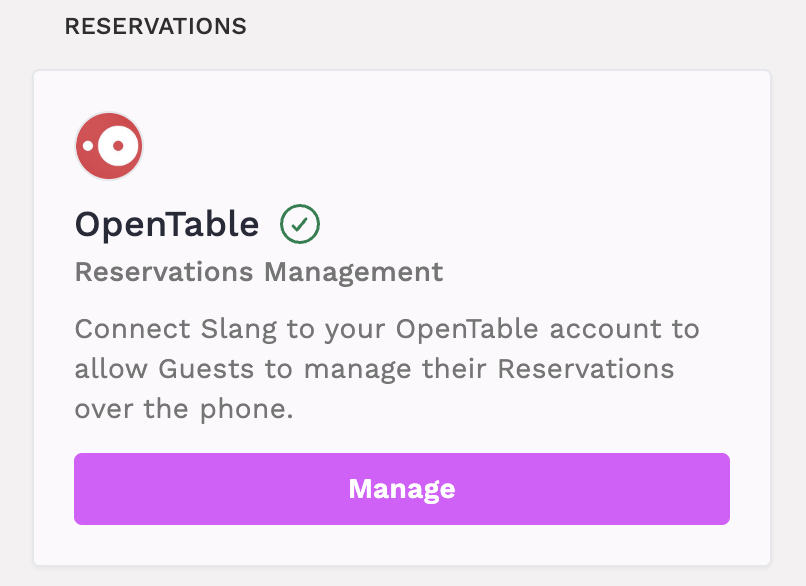
Click Manage on the OpenTable Integration tile.
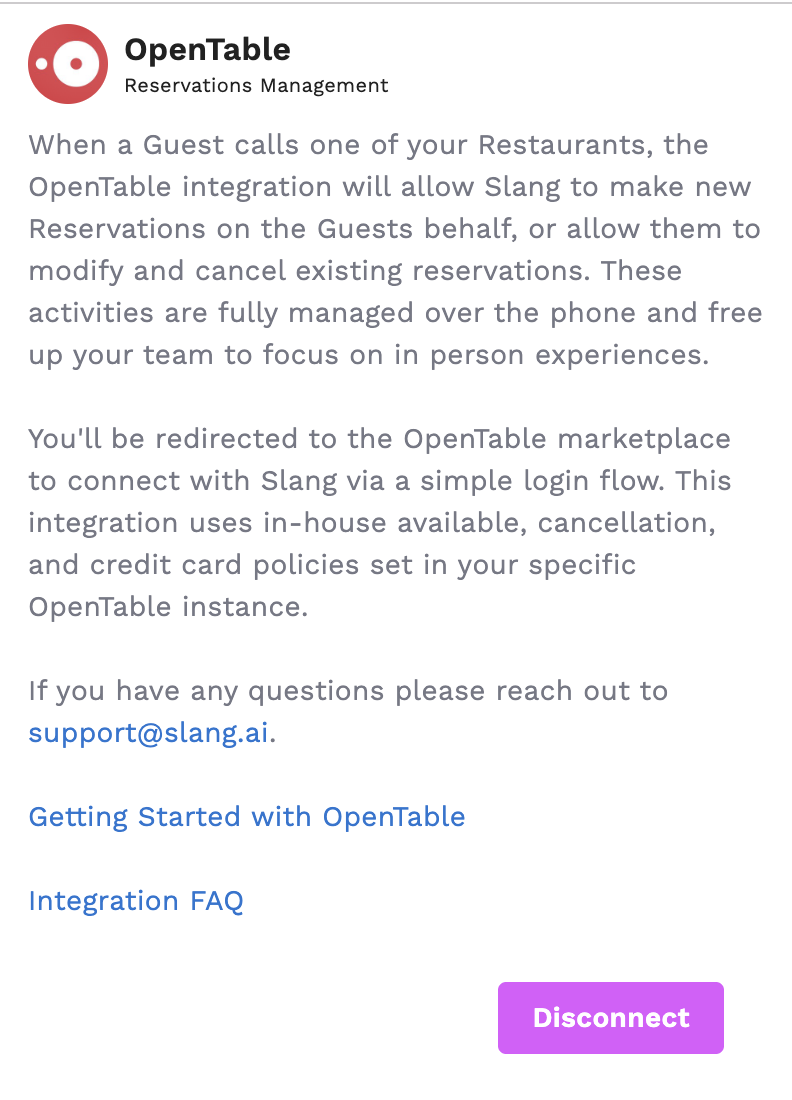
Click Disconnect on the drawer that opens.
Guest Manager:
Critical Timing for Switching Reservation Systems
When switching from OpenTable to another reservation system (like SevenRooms), you must disconnect OpenTable BEFORE connecting the new system. Connecting another reservation system without first disconnecting OpenTable will break the integration, as Slang can only associate one reservation system integration at a time.
First, disconnect your OpenTable integration completely.
Wait for confirmation that the disconnection is complete.
Then connect your new reservation system.
Warning: Failing to follow this sequence will result in a broken integration that may require technical support to resolve.
What about Experiences?
At this time Slang is not able to book Experiences through the integration.
If you are using Experiences to gather reservations for holidays coming up, callers will hear the name of that Experience and will be offered a link to book them online, preserving their ability to see your full branding, menus, and add-ons.
I have a TripleSeat integration turned on, too, do I need to do anything special?
Currently, if you have a full buyout and TripleSeat has been configured correctly, the integration should block availability for phone reservations when you have an event.
If the event is not a full buyout, you may want to make that a Special Day and remove booking availability to ensure that the shift settings are correct.
I have opted-out of SMS messaging through OpenTable, will the integration still work correctly?
There are several features that require the SMS messaging to be enabled via OpenTable, such as credit card deposit links and reservation confirmations sent via text.
Be sure to check your settings via OpenTable and opt-in for SMS messaging!
Guest Profile Edge Cases
Multiple Profiles on Same Phone Number: If multiple guest profiles are tied to the same phone number (such as when third parties like concierges make bookings on behalf of different guests), Slang will always prompt the caller to spell their name to ensure accuracy, even if they are a repeat caller.
Persistence of Incorrect Information: If incorrect information was captured during a guest's initial call (for example, if they abandoned the call flow or provided unclear responses when spelling their name), that incorrect information will persist and be used for all future reservations from that phone number.
Troubleshooting Incorrect Guest Names
Request the day/time the guest originally called to locate the specific call transcript.
Review the call transcript to identify where the guest provided incorrect information or abandoned the name collection process.
If you identify the guest's correct name, contact support to manually update it on the backend.