Conversations Insights
Last updated: September 2, 2026
A tour of the Conversations Insights dashboard, what each metric means, and how it impacts your business.
Overview
The Conversations Insights page is your first window into what Slang is accomplishing for you in the background each day. In this article, we will go through what each metric entails, how you might utilize the analytics, and any notes regarding those metrics.
On Superhost, this page currently shows Total Inbound Calls, Restaurant Answer Rate, and Time Unlocked. Other metrics aren't available yet.
Note: Please ensure your view is filtered for the date range you'd like to see.
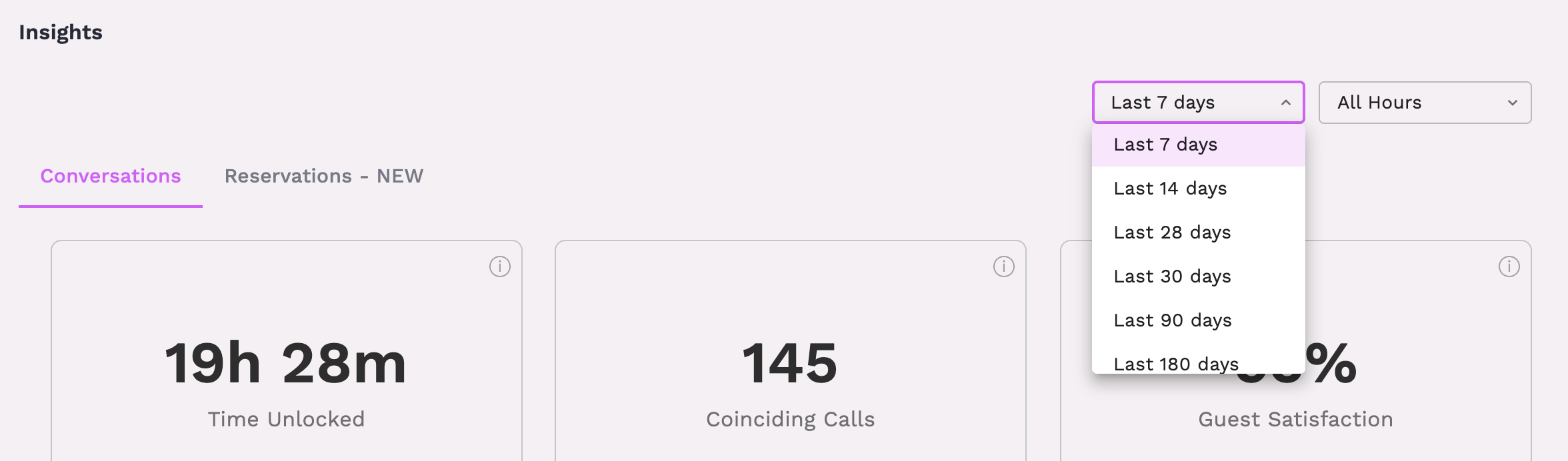
Time Unlocked
Total number of calls handled by the concierge multiplied by 2 minutes (the average time a human takes to handle a call)
This is time unlocked and given back to your staff to focus on in-person guest interactions or other duties since Slang is taking care of those inbound calls.
Coinciding Calls
Total number of calls that occur at the same time
This metric highlights how Slang can always help guests even when staff is busy or your phone lines are tied up.
Guest Satisfaction
Percentage of callers who responded to the post-call survey with a "yes" response when asked if Slang was helpful
Total Inbound Calls (Metric + Graph)
Total calls by day over the given time frame
During vs After Hours
Using hours from your Google Business profile, we tag each inbound call for the day as either being during or after your hours of operation
Hours are checked daily for changes to ensure any updates you make are reflected in Slang automatically.
Call Topics
Policies that guests interact with most when calling into your business
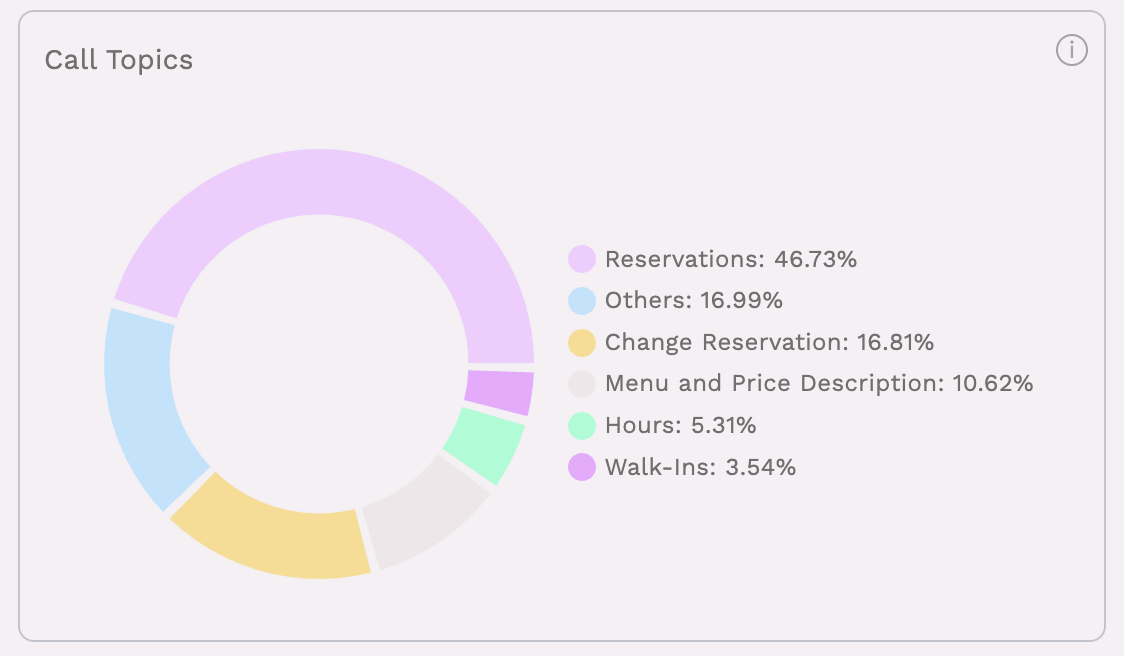
Tip: hover over each section to see the number of interactions per topic.
Conversation Breakdown
Restaurant Answer Rate
Percentage of calls Slang transfers to staff where the call gets answered in-house.
This metric can be helpful to know that if a caller does need to speak to a human, their calls are still being answered.
Note: This will show as 100% if you use a call queue on site, we aren't currently using audio detection to determine if the caller made it through a queue successfully.
Unanswered Calls
A count of all the calls that Slang transferred to your business that were not picked up. When a call is not answered or hits a busy signal, we consider it unanswered.
New vs Repeat callers
Phone numbers are tracked through the concierge and then marked as a new or repeat caller
This references phone numbers as far back as you’ve been a live customer of Slang. These data points get better the longer you use Slang. This metric can help you understand how many repeat callers interact with the concierge to continue using it.
Note: the chart will show from within the specified time frame (selected via the drop down in the top right).
Conversation Breakdown
Fully Automated - Successfully handled without the caller asking for staff
Partially Automated - Successfully handled but the guest still requested to speak to staff
Transferred - Caller requested a topic that is specifically set to forward to staff (e.g. catering, miscellaneous questions, etc.)
Bypass - The guest immediately requested to speak to a staff member without posing a question to Slang
It’s common that Slang can handle a request to schedule a reservation or explain the happy hour menu, but callers will sometimes ask for a staff member afterward to provide more details.
Transferred Calls By Hour
Calls that Slang transferred based on guest request or not being able to successfully answer their question while on the call
This metric can help better understand business needs and when call volume might increase enough to warrant staffing the phones.
Calls By Language
Slang AI serves calls primarily in English, but customers using our Bilingual Support feature can track how many callers interact with Slang in Spanish using this chart.
SMS Breakdown
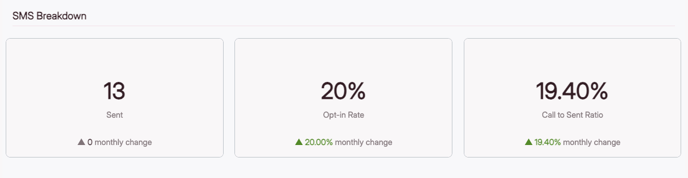
Sent
Number of text messages sent to callers
Opt-in Rate
Percentage of callers that opt-in, or say "yes", when offered information via text
Call to Sent Ratio
Number of total calls divided by the opt-in rate
Frequently Asked Questions
Why does my data look out of date?
Please note that our Insights pages update every night to add the previous day's insights.
What does it mean by "monthly change" (insight deltas)?
Deltas, or monthly changes, show the metric's change from the prior month. For example, if you are looking at April 25th, the monthly change will be comparing that data to March 25th of the previous month.
Can I get my report emailed to me?
We send out an Insights snapshot every Monday at 11am EST to email addresses with access to a Slang account. If you do not receive this email, reach out to Support (support@slang.ai) for assistance.