Getting Started: Slang + Resy Integration
Last updated: September 3, 2026
Connect Slang with Resy to automate your reservation management. This integration allows Slang to check real-time availability, book tables, and update reservations directly to your Resy reservation system without manual input.
Who can use the Resy Integration?
The Slang + Resy Integration requires the following:
Your venue offers reservations without a prepayment or credit card hold requirement.
You have admin level access to ResyOS to create and manage user accounts.
Your Slang subscription is either Core or Premium Tier.
Superhost is not enabled.
How to set up the integration:
Create a user account in ResyOS for Slang
We recommend the following permission settings:
Two-factor authentication - Turn OFF
Booking Permissions - Turn OFF
Update Settings Permissions - Turn OFF
Password Protection Enforced - Turn OFF *This combination of settings allows Slang to book reservations safely without effecting any of your other settings.
More information can be found here: https://helpdesk.resy.com/en_us/user-permissions-r1zCWDmU_
When that's completed...
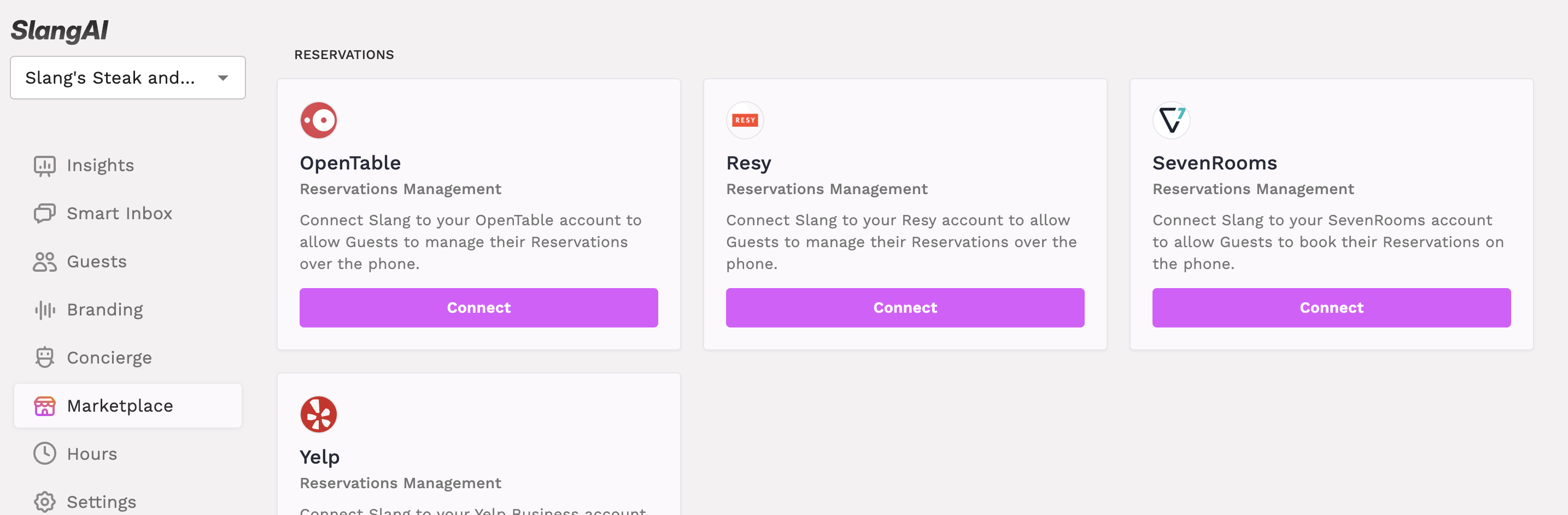
Head over to the Slang Marketplace to connect your Concierge to your Resy account!
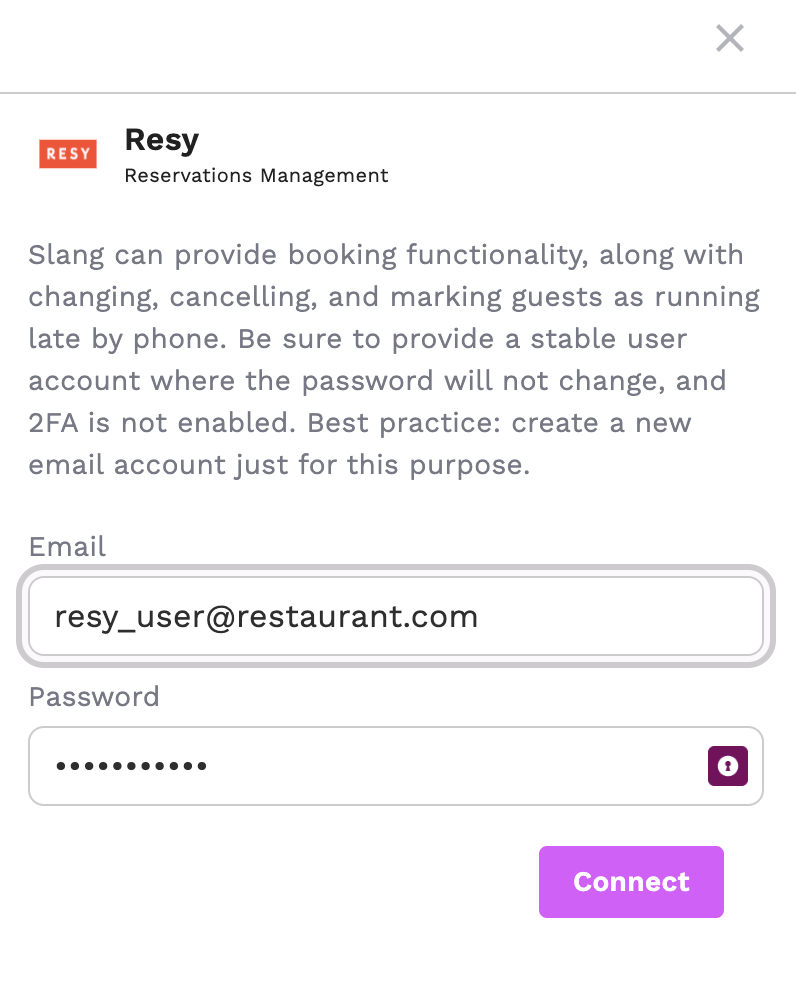
Supply your user email and password.
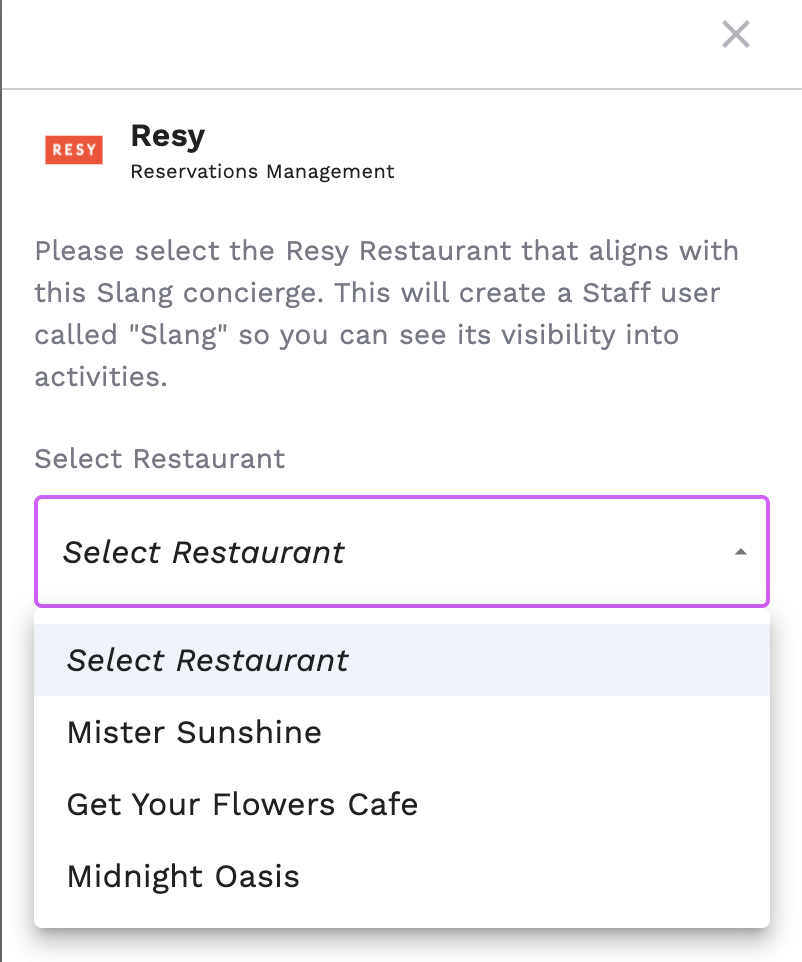
Select the Restaurant name that matches the current Slang Concierge and hit Connect.
You're all set!
How it works
Once the integration is active and Slang is logged into your venue account, Slang acts as an extension of your host staff:
Real-time Availability: When a customer asks for a reservation, Slang queries your Resy inventory instantly to see what is open.
Automatic Booking: Valid reservations are pushed directly into Resy. The guest will receive standard Resy confirmations and notifications.
Modifications and Cancelations: Slang will help guests modify and cancel reservations in accordance with the rules set in Resy. In some cases, Slang may transfer the call to the Host to complete the action.
Reservations Insights: Booked reservations, as well as all modifications, are counted on the Reservations Insights page.
Troubleshooting
Need more help? If you are having trouble connecting, please contact our support team at support@slang.ai.
Who has access? Slang customers paying for our Core or Premium subscription packages will have access to the Resy integration. If you want to use the Resy integration, reach out to support@slang.ai to get the process started today!