Availability Planning
Last updated: December 3, 2025
The OpenTable x Slang integration gives callers access to book In-House availability!
Introduction
With the OpenTable phone integration, there are some new functionalities and processes that you may not be used to. We've answered some basic questions over at our FAQ. In this article, we'd like to get more in‑depth about availability planning and how to mark certain areas of your restaurant with In‑House availability.
Important: Blocking online reservations in OpenTable will NOT prevent Slang phone bookings. Slang uses in‑house availability, which is separate from your online inventory. To prevent phone bookings during private events or buyouts, you must adjust your in‑house availability settings as described below.
Since these tables are booking as "In-House" you will not be charged per cover!
"In-House" Tables
These tables weren’t previously public inventory, so take a good look at your dining areas and ensure that you don’t have any dining areas marked for “In-House” if you don’t want callers to be able to book there.
Examples:
PDR (Private Dining Room) seating
Seasonal Outdoor Patio tables
A secondary dining room usually only opened on weekends
Tables that usually require specialty booking or spend minimums
Where do I manage this?
Log into your OpenTable Guest Center
Navigate to Availability Planning and select a shift. Click on "Shift Settings" on the right.
There are drop-down selections in the Table Availability portion, this is what you can focus on for now.
For blocking reservations during private events: Change the availability setting from "All Availability" to "Walk‑in only" or "Unavailable" to prevent Slang phone bookings.
Typically, you'll see "All Availability" in the drop-down.
This indicates that the tables are available online, to your staff to book in advance, and for walk-in table assignment:
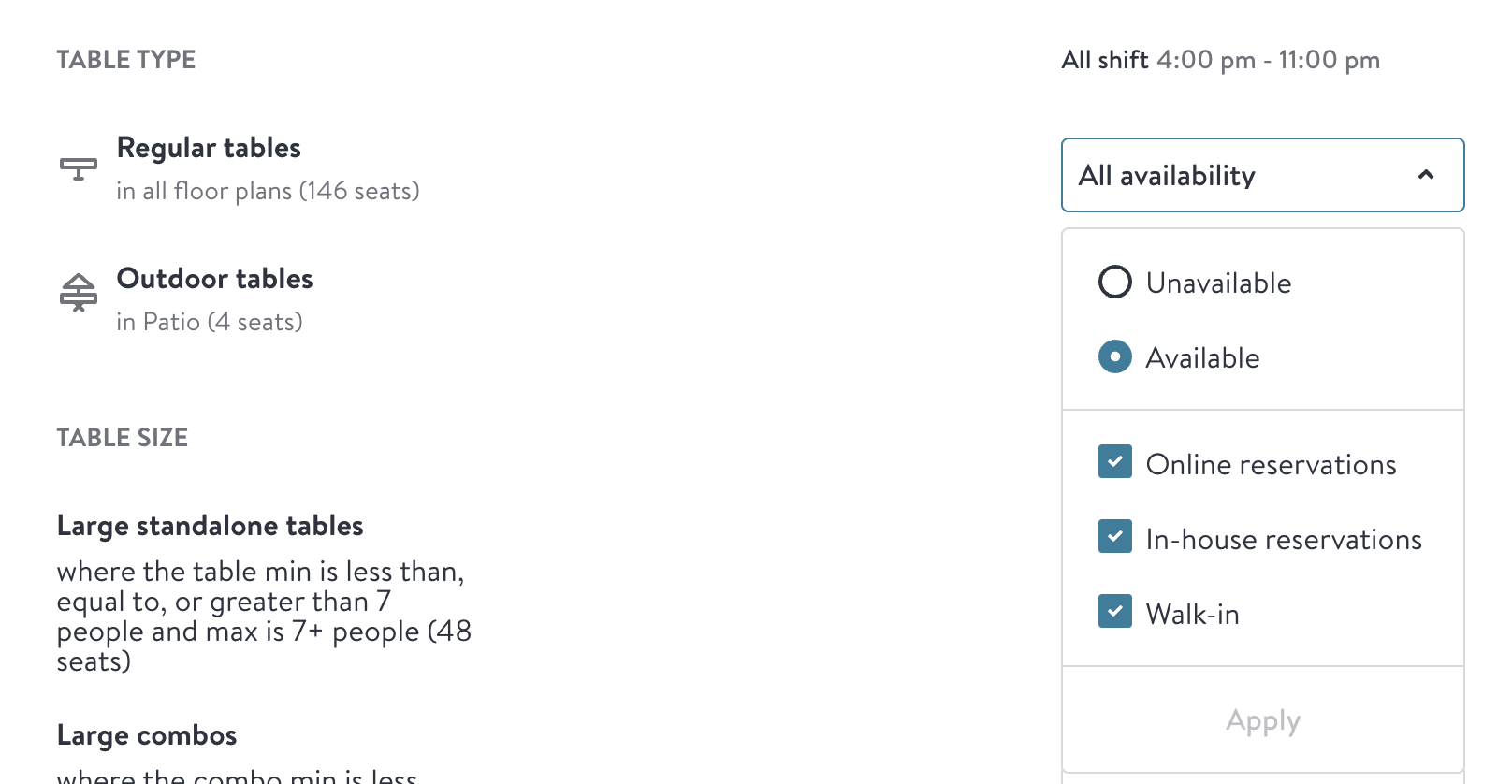
"In-house" reservations can now be booked by any caller on a Slang call, not just staff. So if you have special tables or table sizes that you'd prefer to book by hand, or through special restrictions you've set up online, un-check the "In-house reservations" box, or create a table restriction list without this box checked:
Important: Blocking online reservations in OpenTable does not automatically block in‑house availability. Slang AI can still book tables that are flagged as "in‑house available" even when online reservations are disabled. To prevent Slang AI bookings during blocked periods, ensure that the affected dates/times are also marked as unavailable for in‑house reservations in your Table Availability settings.
Video Guide
For a visual walkthrough of how to block in‑house availability, watch this helpful video: Blocking In‑House Availability
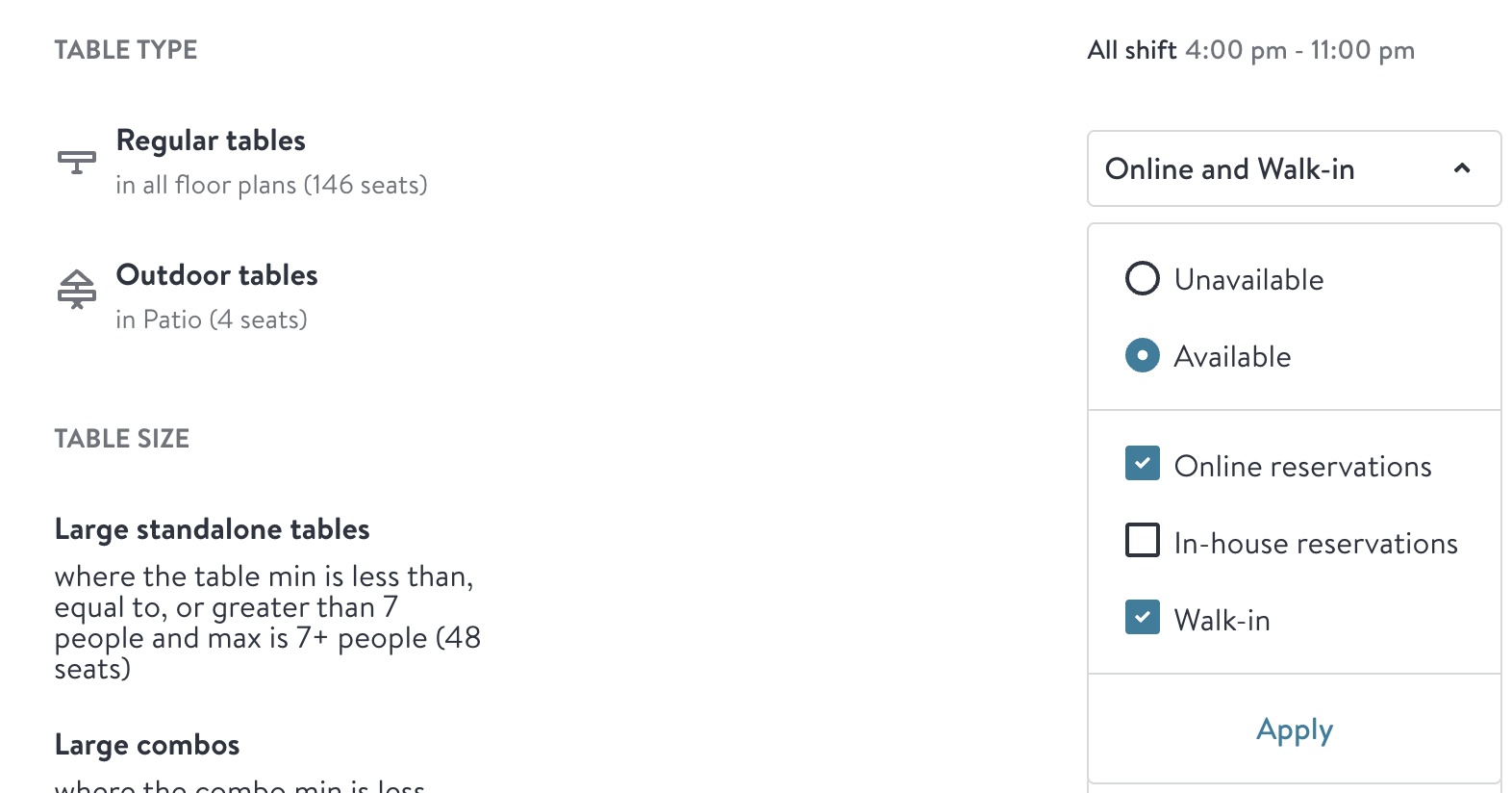
In cases of buy-outs, ensure that "In-House" seating availability is adjusted to "Walk-in only" or “Unavailable.”
Have Questions?
Need more assistance or have a question? Shoot us an email at support@slang.ai. Our dedicated support team is available to help with any questions you might have, so don't hesitate to reach out!