Superhost: Booking OpenTable Experiences
Last updated: November 6, 2026
Using Slang Classic? See OpenTable Experiences FAQs (Slang Classic) instead.
Superhost can now offer and book your OpenTable Experiences over the phone, including Experiences that require prepayment or a deposit.
How it works
Offering Experiences: When a caller asks for a table and there's a Table-assigned Experience available at that time, Superhost offers both the standard reservation and the Experience.
Describing Experiences: Superhost reads the Experience title. If the caller wants to know more, Superhost reads the description you saved for that Experience.
Prepayment and deposits: If the Experience requires prepayment or a deposit, Superhost tells the caller the Experience cost and lets them know that without payment, their booking may be cancelled.
Payment: Slang never collects card details. After booking, OpenTable texts the caller a secure payment link through OpenTable's Stripe integration, and payment goes straight to your OpenTable account.
Here's what callers hear:
"I have availability for four on Monday, November 9 at 7PM. Before I lock that in, we also have the Wine Pairing Dinner then. It's $55 per person. Wanna hear more? If not, I can go ahead with your standard booking."
Do I need to set anything up?
No! Slang reads your available Experiences through the OpenTable integration, with no action needed from you or your team. The tips below help callers get the best experience.
Get your Experiences ready for phone booking
Only Table-assigned Experiences are supported. Slang can't see or offer Ticketed Experiences through the OpenTable integration.
Write titles that sound good out loud. Superhost reads your Experience title to callers, so use full words and avoid emojis, abbreviations, and hyphens.
Don't: Thanksgiving Day Dinner 3 Course Meal - $90/pp 🦃
Do: Thanksgiving Day Dinner, a 3 Course Meal for $90 per person
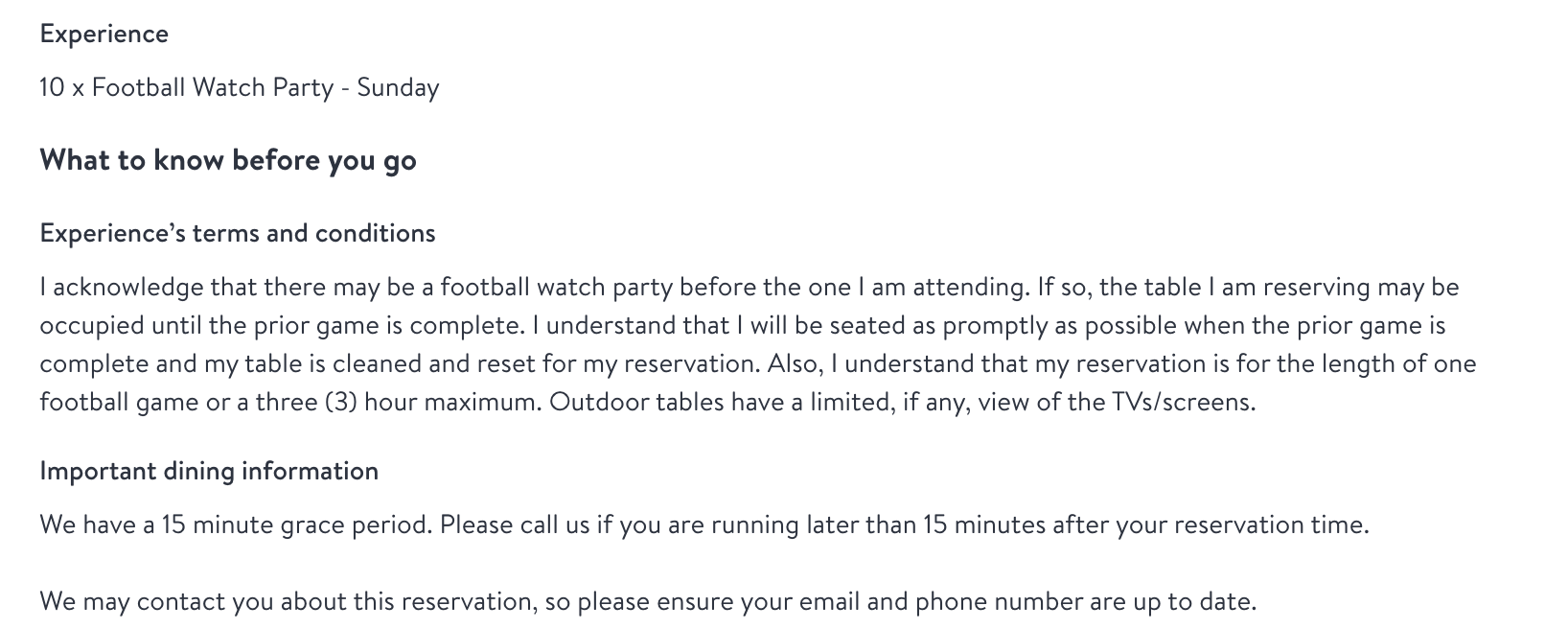
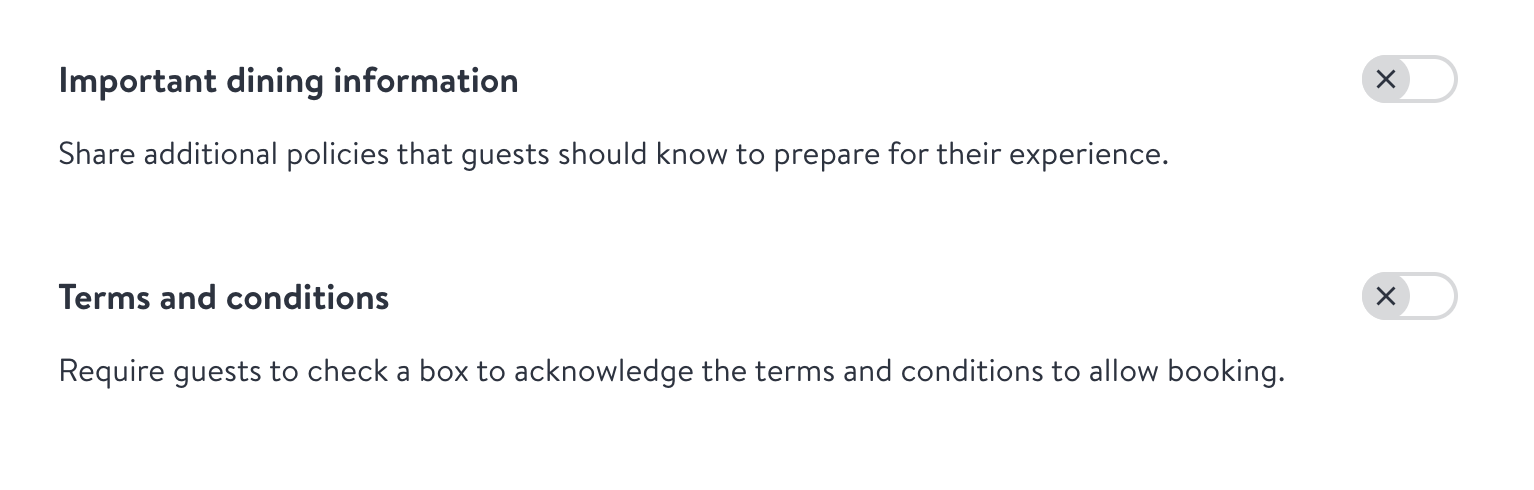
Put important details in the description. Superhost can read your title and description, but not "Important dining information" or “Terms & Conditions.” Those only show online. If callers need to know something, like a dress code, advance booking requirement, or what's included, move it into the description.
Make sure each Experience is a real table reservation. Superhost books Experiences as seated reservations. If you sell something like a pre-order or pickup item as a Table-assigned Experience, callers will think they're booking a table.
FAQ
How do I protect against bookings that never get paid?
Set up an Auto-Cancel policy on the Experience in OpenTable. It can cancel unpaid bookings after a set time from when the booking was made, or a set time before the seating.
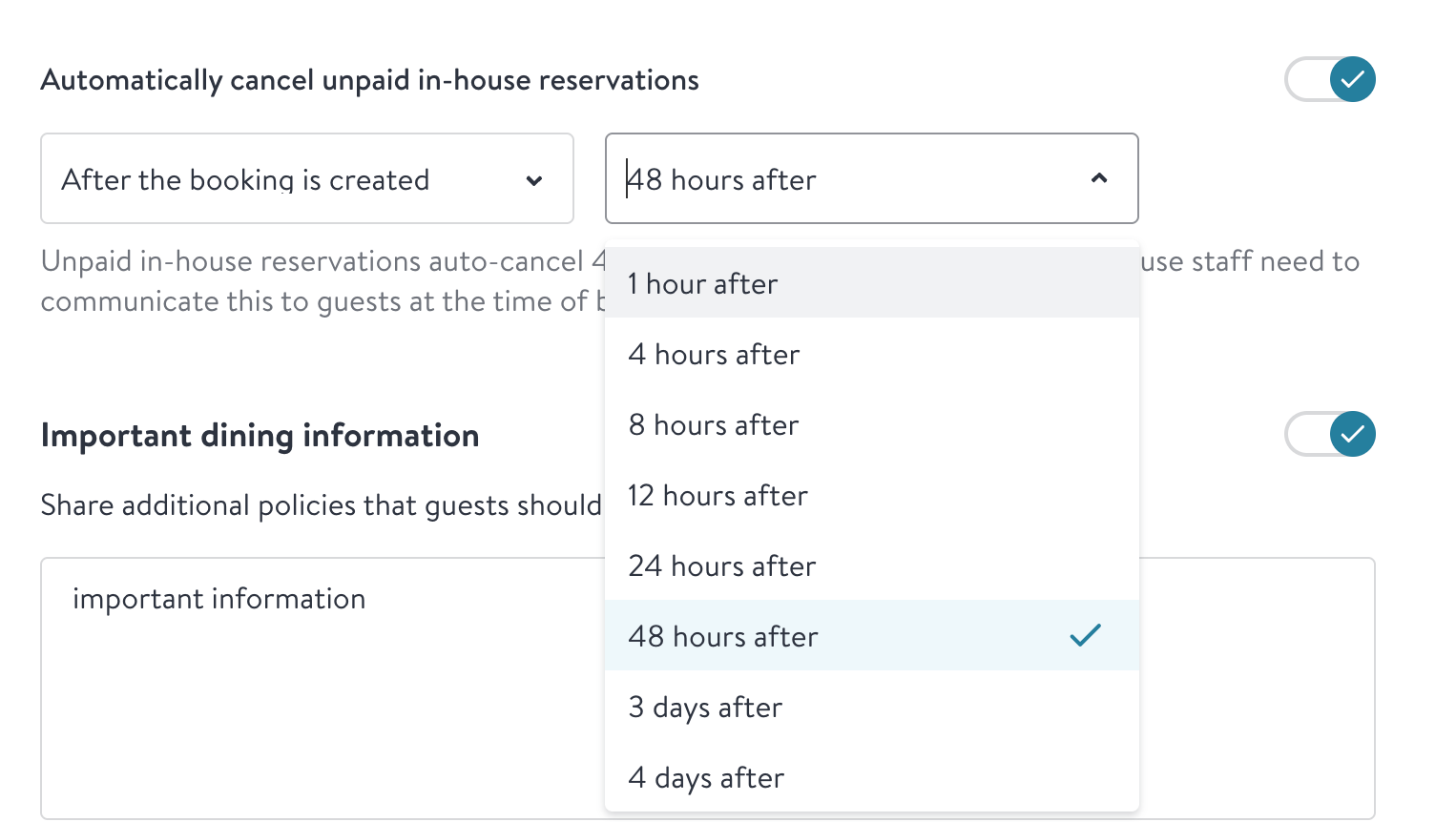
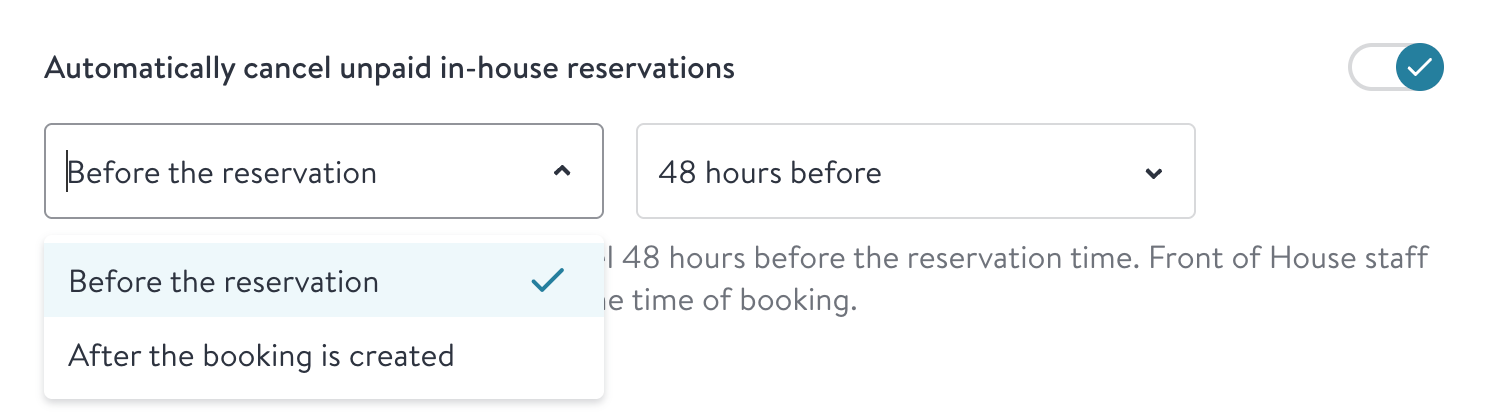
Superhost doesn't know your Auto-Cancel policy, so callers aren't told a specific deadline. They're told to add their payment details as soon as they get the text.
What if a guest has opted out of OpenTable texts?
The payment link is sent by text from OpenTable. Guests who opted out of OpenTable text messages won't receive it, and Slang can't see opt-out status. These guests may not get a notification that their booking was cancelled via an Auto-cancel policy.
My Experience must be booked at least 48 hours in advance. Will Slang know that?
No. OpenTable doesn't have an enforceable rule for advance booking windows on Experiences. Put the requirement in your description so callers hear it.
Can callers buy Add-ons?
Not at this time. Slang can't see or sell Add-ons.
My Experience has multiple price points or menus. Can callers choose between them?
Not yet. Superhost books Experiences with a single price level. We'll likely add support for multiple price points in the future.
Can Slang cancel or change an Experience booking?
No. Cancellations and changes to Experiences may involve refunds or price differences, so your team will need to handle them directly.
Where can I see Experience bookings made by Slang?
In your OpenTable reporting, Experience bookings made through Slang show Phone/Voice AI as the Source, just like all other bookings through Slang.
Can I turn off Experience booking?
Yes. Email support@slang.ai and we'll turn it off for your location.
More questions?
Email us at support@slang.ai.